


12 ways Checklist What it will not stop FAQ
Mitilena Mitilena Wallet Cold crypto wallet
ONLINE · 22,000+ COINS Create walletCreate
Honest about the risks · 12 ways, 12 checks

How a crypto wallet can steal your money

A wallet holds your key only at the moment of signing. That moment is enough. Below are twelve ways an app takes a user’s money — under each, a real incident and a one-minute check. We ran ourselves against the same list: answers checked against the code. You can catch a key in traffic yourself — on a stand with a local proxy that decrypts the whole exchange.

Real incidents with dates and amounts A one-minute check under each Our answers checked against the code
Cost of a mistakepublic incidents
2025Bybit · swap what you sign$1.5B
2022Wintermute · predictable key$160M
2026Coldcard · predictable key in a hardware wallet$100M+
2023Atomic Wallet · cause never namedup to $100M
2023Inferno Drainer · signed “approvals”$80M+
2022Slope · seed phrases in logs$4M+
2023Ledger Connect Kit · backdoor in an update$600K
A developer with intent
The wallet was built from day one to harvest keys. It does not last long and pretends to be a known brand.
An honest developer who got hacked
Foreign code lands in an update via a stolen account, a dependency, or the build machine. The costliest cases start here.
Foreign code on your device
A virus, a browser extension, “support”. The wallet is honest, but signing happens where the attacker sits.
Twelve ways

Exactly how the money leaves — and what to check in any wallet

Under each way: what happens, a real incident, a one-minute check, and an honest answer for Mitilena. “How we do it” blocks are checked against the app code. Not “trust us”: you can run the web build through a local proxy and see all traffic decrypted.

Way 01

The key is born elsewhere

The wallet generates the key on a server or sends it there right after creation — as a “cloud backup” or “restore by phone number”. From that moment you are not the only one who can spend your coins.

Incident
up to $100M
Atomic Wallet, June 2023: users of a closed-source “non-custodial” wallet lost an estimated $35–100M overnight. The company never named the cause.
One-minute check
Turn on airplane mode and create a new wallet — a non-custodial one will do it without a network. Then cut the internet and check that the key and address are still there.
How we do it
The key is created in the app itself with bitcoinjs, ethers, tweetnacl, and @ton/crypto — no network needed. With an account, only the address goes to the server — there is no private-key field in that request.
ECPair.makeRandom · ethers.Wallet.createRandom · nacl.sign.keyPair · addSpecificWalletToUser socket with no key field
Way 02

The key is random — but predictable

A key is a very large random number. If the RNG is weak, there are few real keys, and attackers brute-force every customer at once — sometimes years later. A hardware wallet does not save you: the generator sits there too.

Incident
$100M+
Coldcard, July 2026: a firmware build bug since 2021 quietly swapped the hardware RNG for a weak one — keys were brute-forced without device access; researchers estimate losses past $100M across thousands of addresses. Wintermute, 2022: a Profanity address recovered from a 32-bit seed, $160M. Randstorm, 2023: millions of 2011–2015 addresses.
One-minute check
The wallet should lean on the system RNG and standard libraries — not a “proprietary algorithm” inside a closed chip. Hardware “cold” does not help here — Coldcard is exactly that story. A good sign: refusing to create a key when the device cannot supply enough entropy.
How we do it
Randomness comes from the device system RNG through the same libraries as generation. Math.random is never used for keys. If entropy is short, the wallet stops with an error and asks for another device.
crypto.getRandomValues via crypto-browserify → randombytes · bitcoinjs-lib 6.1, ecpair 2.1, ethers 5.5, tweetnacl 1.0
Way 03

The key leaks through logs and analytics

Nobody meant to steal. A crash report or analytics event captured the whole screen — seed phrase included. Logs sit at a third-party service, open to dozens of people and anyone who hacks that service.

Incident
$4M+
Slope, August 2022: the wallet sent seed phrases in clear text to Sentry. About 9,000 Solana wallets were emptied; users never tapped anything.
One-minute check
Check app permissions and the tracker list (Exodus Privacy on Android). A wallet does not need contacts, SMS, or location; every analytics SDK is another leak path.
How we do it
No third-party analytics, ads, or crash SDKs: no Google Analytics, Firebase, or Sentry. Permissions: camera, NFC, microphone for sending a signature by sound, and internet. At launch the server only gets technical device signals (screen, timezone, GPU) for bot filtering in the user counter — no keys, no personal data.
code search for 25 analytics SDKs — empty · AndroidManifest: CAMERA, NFC, RECORD_AUDIO, INTERNET
Way 04

You see one thing, you sign another

On screen: a transfer to mom. In the signature: a transfer to a thief or a contract owner change. A clipboard trojan, a browser extension, or a hacked UI swaps it. The signature is real — yours — and the network will accept it.

Incident
$1.5B
Bybit, February 2025, the largest crypto theft on record: signers saw a normal transfer in the wallet UI and signed a vault-logic swap — foreign code was injected into the interface.
One-minute check
The signing screen must show the full address and amount, and you check the last characters against what the recipient sent. For large amounts — sign on a device with no internet.
How we do it
Before signing you see amount, sender, and recipient in full. The app does not read the clipboard itself; the address is validated by network rules; under the field you see whether it is live. Before send, the wallet derives an address from the key and matches it to the sender: no match — the transfer does not leave. For large amounts — Mitilena Air: offline signing; the transaction travels by QR, sound, or NFC.
validateAddressMixin → CryptoValidationClass · “Wrong private key” gate in SignOnline.vue · no clipboard read in SendForm
Way 05

You are not signing a transfer — you are signing an approval

A site asks you to “connect the wallet and confirm”. You sign an unlimited approve or a Permit — and a foreign contract can pull your tokens whenever it wants: a day later or a month later.

Incident
$80M+
Inferno Drainer, 2023: ready-made drainers for phishing sites took more than $80M from 137,000 people. Users signed approvals themselves after seeing an opaque data line and a Confirm button.
One-minute check
Connect the wallet to any dApp and watch: does it distinguish transfer, contract call, and approval; can you see who and how much; can you refuse with one tap. Once a month, revoke old approvals.
How we do it
On WalletConnect or TON Connect you see the app domain and address, with Connect and Reject. Each request is its own card: transfer, contract call, token-spend approval with a limit or an “unlimited” mark, Permit with an expiry, message signing marked “this is not a transaction”. No auto-approve; you enter the key for every signature.
tx / approve / permit / personal / typed cards in SignOnline.vue · wcDetectApprove · honestly: setApprovalForAll still shows as a contract call
Way 06

An update with a backdoor

The wallet is honest; the library or build is not: a hacked developer account, a swapped dependency, foreign code on the build machine. The next update lifts keys from everyone at once — and all you did was tap Update.

Incident
$600K
Ledger Connect Kit, December 2023: phishing a former employee led to a library release with a drainer; it sat on dozens of sites — losses within hours. Copay, 2018: a backdoor in the event-stream dependency targeted that wallet specifically.
One-minute check
Are builds signed: developer certificate on Windows, Apple notarization, mobile via the stores. Updates only from the store or the developer’s site.
How we do it
Builds are signed: Windows — code-signing cert on a hardware token with a timestamp; macOS — Apple notarization; Android and iOS via Google Play and the App Store; desktop downloads only from mitilena.com. We do not treat an open repository as proof: one inject at release breaks “reviewed” source. Our check is different — a stand with a local proxy: you start it, watch all traffic decrypted, and see for yourself whether a key leaves.
sign-win.js: osslsigncode + PKCS#11 + timestamp · notarize.js: notarytool · verification: local MITM proxy on the stand, all traffic decrypted
Way 07

A fake posing as the wallet

A store clone with the same name and icon, a lookalike site, ads above the real one, an “update” in Telegram. Inside: a form that says “enter your seed to restore”. Whatever you type goes straight to the thief.

Incident
17,1 BTC
App Store, 2021: a user entered a seed into a fake “Trezor” and lost 17.1 BTC. MyEtherWallet, 2018: DNS was hijacked and the real site address pointed at a clone. Fake Ledger Live in the Microsoft Store, 2023 — hundreds of thousands of dollars.
One-minute check
Install via a link from the official site, not from store search. A real wallet never asks for a seed “for verification” or “for an update”. Check the site address letter by letter.
How we do it
App Store and Google Play links live on the site; the app has been in the stores since 2021. The wallet asks for a seed or key in exactly two places: importing an existing wallet and the transfer signing screen. Nowhere else.
mnemonic / seed phrase strings only in import, signing, and FAQ screens (translate/en.js)
Way 08

Custodial dressed as non-custodial

The UI looks like a wallet, but you have no key: coins sit on the company’s account and you are a row in its database. The company can freeze, ask for documents, go bankrupt, or vanish. That is a different product — and they should say so outright.
Incident
$8B
FTX, November 2022: $8B of customer funds turned out to be company money. Lesson for any “wallet” where you do not hold the key: the balance is a promise.
One-minute check
Can you export the key and import it into another wallet? Does sending still work if the company’s server is down? Two “no”s — that is an account, not a wallet.
How we do it
The key is shown at creation; you can copy it, print it, save it as PDF or QR, and import it into any other wallet — it is a standard network key. Honestly: we have one custodial tool — the Mitilena Pay hot wallet for receiving payments; its key lives on our servers and the UI labels it that way. Ordinary wallets are unrelated.
“Save your key” screen in the wizard · “hot wallet, its private key is stored on our servers” — Mitilena Pay only
Way 09

The key sits on the device in the clear

The wallet saves the key “for convenience” — in an unencrypted file, an iCloud or Google backup, a screenshot. After that you do not need to break cryptography — just access to the backup or five minutes with the phone.

Incident
$650K
MetaMask, April 2022: the iPhone seed vault landed in an iCloud backup. Attackers phished the Apple ID password and pulled the seed from the backup.
One-minute check
How the wallet stores the key on device: encryption with your PIN and a proper iteration count — not “protected by the system”. What goes into cloud backup. And never screenshot the seed.
How we do it
Saving the key on device is optional and only under a PIN: from the PIN we derive an encryption key (PBKDF2-SHA256, 100,000 iterations, random salt); the key itself is AES-256 encrypted and stored as ciphertext. The PIN is stored nowhere; NFC-card passwords live in Keychain / Keystore under biometrics. We do not put a seed in the gallery or cloud notes — that is no longer the wallet, that is your copy in the open.
NfcClass.getKey: pbkdf2Sync(…, 100000, 32, sha256) · aes-256-cbc, salt:iv:ciphertext · Keychain / Keystore under biometrics
Way 10

The key leaks through the signature itself

The quietest way. An ECDSA signature carries a random number, and a tweaked library can hide pieces of your key inside two or three ordinary signatures. Everything works; whoever reads the chain reassembles the key.

Incident
2 signatures
Dark Skippy, August 2024: researchers showed that swapped hardware-wallet firmware exfiltrates the whole seed through two signatures — indistinguishable from normal operation from the outside.
One-minute check
Signatures must be deterministic (RFC 6979 for secp256k1, ed25519 where it applies) through known open libraries. If the developer cannot name the signing library — that is the answer.
How we do it
We have no custom signing implementation. Bitcoin-family signs with tiny-secp256k1 from bitcoinjs; EVM, Tron, and XRP use elliptic inside ethers, tronweb, and ripple-keypairs; in every case the signature nonce is derived deterministically from key and transaction. Solana and TON — ed25519. Monero is signed by the mymonero-core module in the browser.
tiny-secp256k1-asmjs 2.2.3 · ethers 5.5.2 → elliptic 6.5.4 · tronweb 5.0.0 · ripple-keypairs 1.3.1 · tweetnacl 1.0.3 - RFC 6979 / HMAC-DRBG set by the libraries
Way 11

Quiet skim on the swap

The wallet is not “stealing” — it is “earning”: the swap runs through its own wrapper contract, a markup is baked into the rate, slippage is set so you do not notice. The money still leaves quietly.

Incident
1-3 %
There is no single famous name — it is a model. The gap between the wallet quote and the venue quote is the cost; for some wallets it reaches several percent per trade.
One-minute check
Before swapping, compare the quote with an aggregator (1inch, Jupiter). Venue fee, network fee, and slippage should be named separately. One “you receive” number with no detail usually hides a markup.
How we do it
On DEX swaps we take no fee of our own: you pay only the pool and the network. The wallet queries several venues and picks the best price: PancakeSwap, Biswap, ApeSwap on BNB Chain; Uniswap, SushiSwap, ShibaSwap on Ethereum; Jupiter on Solana; SunSwap on Tron. Slippage is fixed at 0.5% (up to 1.5% on V3) and shown in the form. Cross-chain goes through partner ChangeNOW at its quoted rate.
Jupiter without platformFeeBps or feeAccount · EVM swaps pay your address · “No extra fees - ever”
Way 12

They ask for the seed from inside

“Support” in the wallet chat, a popup “confirm your recovery phrase”, an email “security update”. The wallet may be real; the window is not: an extension, a page overlaid, mail to a leaked customer list.

Incident
since 2020
After the Ledger customer-base leak in 2020, owners still get emails and even parcels asking them to “confirm the seed on a new device”. People lose money without ever connecting a real wallet to the network.
One-minute check
One-line rule: only a thief asks for the seed. No support, update, or “audit” needs the key. An in-app chat is an extra door.
How we do it
Support is support@mitilena.com and a Telegram channel; there is no in-app chat; no screen asks for the key except import and signing. If someone writes as Mitilena and asks for a seed — it is not us, whatever the letter says.
BaseFooter.vue: mailto + t.me · no chat widgets (intercom, crisp, tawk, jivo) in the code
Checklist

Check your wallet in five minutes

Twelve questions. The more “yes” answers, the calmer you can be. Save it and run any wallet through it — including ours.

01Creates the key in airplane mode, without a server.
02Names the generation and signing libraries — not a “proprietary algorithm”.
03No analytics or crash SDKs; permissions only when needed.
04The signing screen shows the full recipient address and amount.
05Distinguishes transfer, contract call, and approval; lets you refuse.
06Builds are signed; updates only from the store or the developer site.
07Installed from an official-site link, not from store search.
08The key can be exported and imported into another wallet.
09On device the key is stored under your PIN — not “just because”.
10Signatures are deterministic, through known libraries.
11Venue fee, network fee, and slippage are shown separately.
12Never asks for a seed except on import and signing.
Mitilena on this list: 12 of 12. The key is not born on the server, does not leave into analytics, and does not hide in an “update”. Builds are signed, signing shows the full address, we never ask for a seed “for verification”.
Do not trust a repository — one inject at release breaks it. Check traffic: on a stand with a local proxy the whole exchange is decrypted, and the key is not in it. How to run it yourself → Keep large amounts on a physical carrier — a dumb card, not someone else’s microchip.
Honest to the end

What a wallet will not stop

Stolen key does not mean stolen at oncefirst of all

The wallet may have been compromised a year ago; the money leaves the day you deposit a large amount — and you will not remember what you installed where. So from time to time open a new wallet, move funds to a fresh key — especially before a large top-up — and keep the app updated.

A virus on your device

A keylogger, a clipboard trojan, “remote access” for support. Signing happens where you start it: on an infected phone there is no safe wallet. For large amounts — an NFC card or signing on a device with no internet.

Seed in the open

A photo in the gallery, a note in the cloud, a sticker on the monitor. The wallet stores the key correctly — you gave the copy away yourself.

You signed it yourself

A scam project, a “manager with guaranteed yield”, “confirm the withdrawal”. The wallet will show what you sign — the decision stays yours.

A public blockchain

Addresses, amounts, and transfer times are visible to everyone forever. Privacy comes from care with addresses or networks like Monero — not from the wallet.

Do not trust “open source” blindly

A public repository does not save you: one inject at release is enough. A real check is your own traffic on a stand with a local proxy where everything is decrypted. That is how we invite you to inspect Mitilena: the key does not leave in the exchange — you see it with your eyes, not “because GitHub is green”.

Physical layer · mitilena-store.com

When software is not enough — take a dumb carrier and air-gap

Not a “magic chip from the factory”. A Mitilena NFC card is just memory for a key you encrypt yourself. The ultimate kit adds generation and signing on a device with no internet: the key has nowhere to leak over the network. Cards arrive blank — courier and warehouse are out of the equation.

A virus on your device

Sign on a separate phone with no SIM and no internet: the transaction goes there by QR and returns signed; the key never sits on a networked device. Simpler tier — a card on your main phone: the key appears in an isolated environment for the second of signing and is wiped.

Seed in the open and screenshots

There is no seed: the key is born in Mitilena Air offline and written to the card encrypted. Nothing to photograph; a found card or sticker without the password is useless plastic.

Lost, soaked, burned

Five mirror copies in the box: two NFC cards and three stealth stickers in waterproof plastic for 10+ years. One is gone — the rest still work.

A scam you confirmed yourself

No carrier replaces your eyes: amount and address on screen are yours. Offline signing gives an extra second to check the transfer on a separate device, but it does not think for the button. A public chain does not hide either — that is what Monero and address hygiene are for.
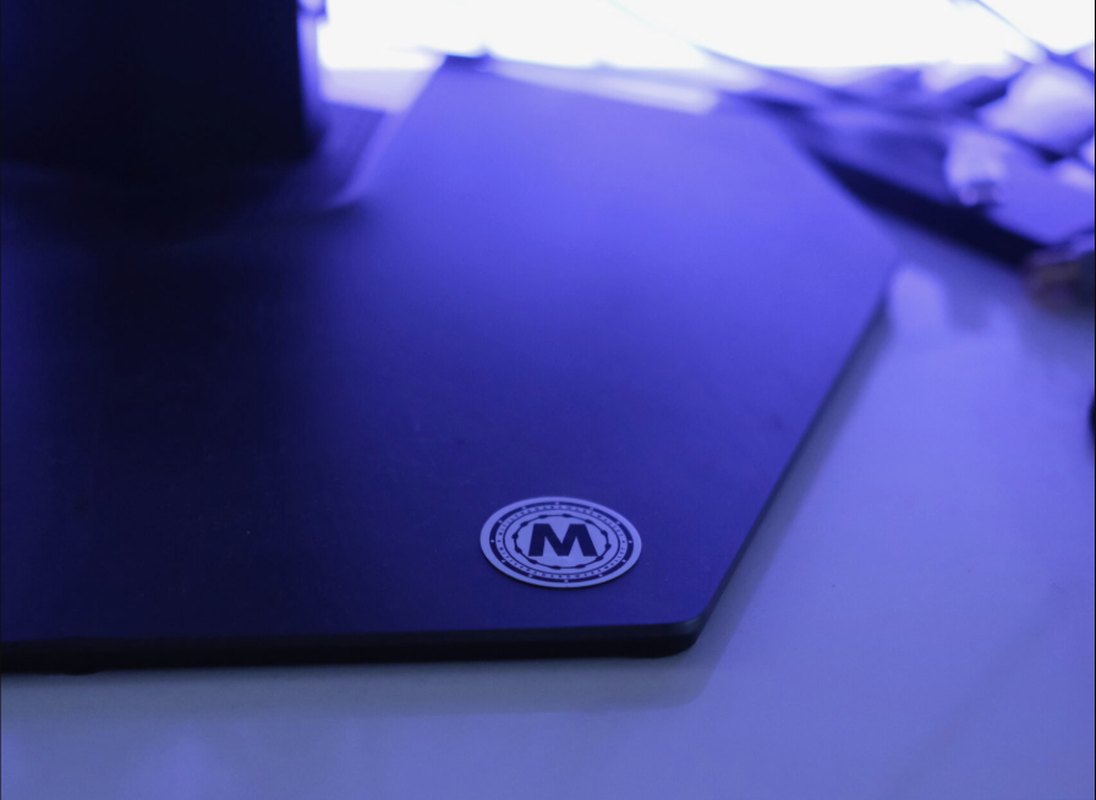
Mitilena NFC card
Premium · hardware kit
Ultimate offline wallet
€369€439
In the kit: 2 NFC cards, 3 stealth stickers, Mitilena Air (offline generation), Mitilena Keys (offline signing). Cards are blank blanks — you write the key. 18 networks, 20,000+ coins. Worldwide shipping.
Buy ultimate · €369 See all plans on the store
mitilena-store.com · worldwide shipping
FAQ

What people ask after reading this far

A hardware wallet with a “secure chip” — that is cold, right?

Often no. A secure element is a mini-computer with closed code: it creates keys and signs by itself, and what sits in the silicon is invisible. Coldcard already showed it: a weak RNG in firmware, keys brute-forced without device access. Ledger has spoken openly about access on a police request. Real cold is when the carrier is dumb and you encrypt and sign. That is how Mitilena NFC cards work: empty memory for your ciphertext, not someone else’s microcomputer.

How do I know the wallet has my key?

Directly — you cannot: traffic is encrypted. Indirectly — airplane mode at creation, key export, work without a server, named libraries, no trackers. If the wallet “restores” a key by email or phone number — it definitely has the key.

What if I signed an approval for a scammer?

Revoke it immediately (revoke.cash or your network’s equivalent) and move tokens to a new address. The approval stays until revoked, even if the site is gone.

How do I check that the key does not go to the server?

Not via “open our GitHub”. Via a stand: a local proxy decrypts all app traffic — inspect the packets yourself. If the key is not in the exchange, you see it. Guide: mitelena.com/our-code-is-open-for-verification.

Start with software. Large amounts — on a card

Free wallet in 30 seconds · NFC plans · how a transfer leaves
Create wallet Ultimate →