



Address
Think of it as an account number. You can show it to anyone — that is where money is received. It does not say who you are: the blockchain has no “name” field.

Private key
This is your signature. Not a password for an account page — a real signature: whoever holds the key controls the coins on the address. Where is the private key stored? Only with you; it is never shown to us, and we do not have it.

Transaction
This is an instruction: “from address A to address B, send this much.” On its own it is worthless until it carries a signature. The network accepts only signed ones.
How a wallet sends crypto: seven steps — and exactly one with the key
Each step starts in plain language, then one “under the hood” line with the tech. Beginners skip it; engineers read only that. Everything is checked against the wallet and backend code — no guesswork.
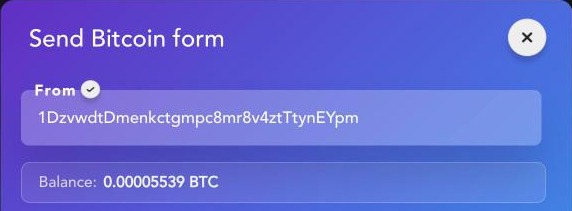
You choose which address you pay from
You open the wallet list and pick the one the money will leave from. Nothing secret happens here: the app simply takes the address string.
Where your addresses live. Without sign-up — only on your device, in the browser or app local storage, next to balances and settings. No address is sent to us: we do not even know you exist. If you create an account (email, Google, or Apple) — only the address goes to the server, so the list matches on phone and computer. The private key never enters the account: there is simply no field for it in the code.
You enter who you are sending to
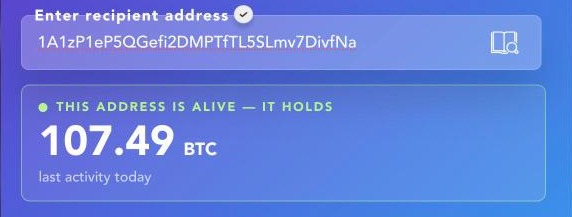
You can paste the recipient address, scan a QR, or pick it from the address book. The book is built from your own transfers: the app sends your addresses on this network and gets back people you already paid from them. We do not collect “contacts” and never ask for phone-book access.
Labels and favorites stay only with you. A label like “Mom” or “Supplier” and pinned addresses live in device local storage — they are not on the server. As you type, the wallet checks the address against network rules: length, format, checksum. A typo will not get past the input field.
We calculate the network fee — and no key is needed for that
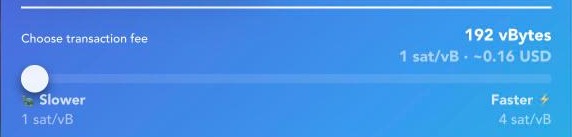
The network fee for cryptocurrency is not fixed: you pay the network to include the transfer in a block. To show an honest number, we have to ask the network. What goes out is your address, the recipient address, and the amount. No key, no signature — nothing that can move money.
Why this is safe. It is a read, not an action: asking “what does a transfer cost right now” is like glancing at a departure board. No read can debit coins: spending only happens with a signature.
Three speeds. You choose: slower and cheaper, or faster and more expensive. This is not our markup — the fee goes entirely to network miners and validators. Mitilena charges nothing for a transfer.
We assemble the transaction draft
The wallet assembles the full instruction: from, to, amount, fee, and sequence number. Every address has an outgoing-payment counter — the nonce. It stops the same transaction from clearing twice and keeps payments in order. We ask the network for the current value, including transfers still sitting in the mempool.
A draft is not money yet. At this step you only have the instruction text. Without a signature it is worthless: the network will not accept it, just as a bank will not accept an unsigned payment order. You can lose it, show it, throw it away — the balance does not change.
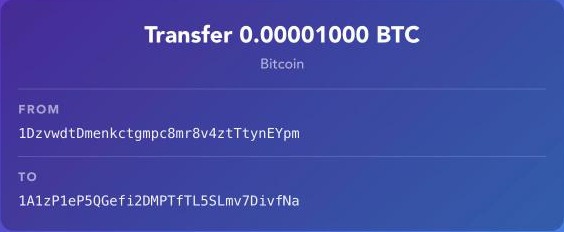
Transaction signature. This happens on your device
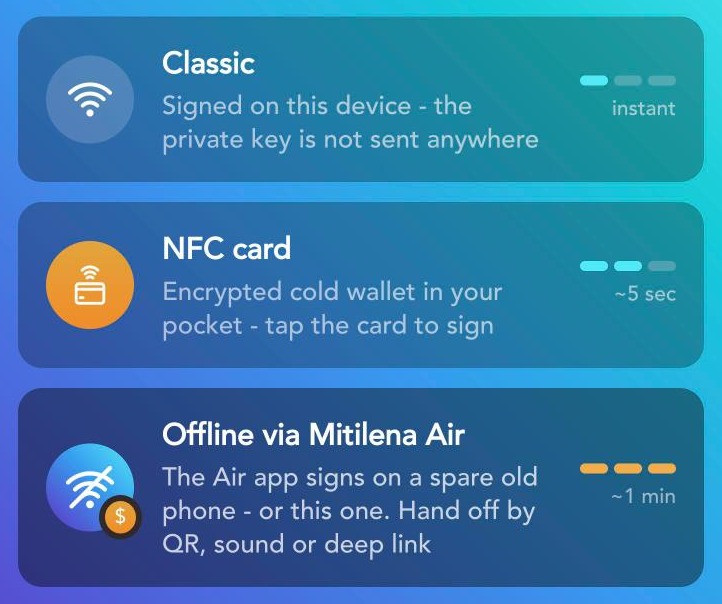
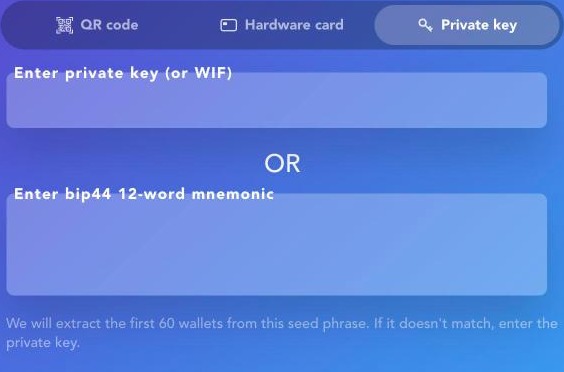
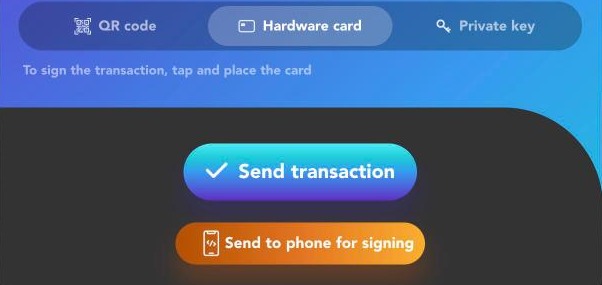
The moment the whole flow is for. The wallet takes the draft and your key and computes the signature — right here, in the app or the browser tab. The key can arrive four ways, and all four end on your device:
Check that it is the right key. Before sending, the wallet derives an address from the key you entered and compares it with the sender address. No match — the transfer does not leave, and you see “Wrong private key”. A signature is math over the transaction text and the key: you cannot recover the key from the signature, and it is valid for exactly one transaction. Change the amount or recipient by a single character — the signature stops matching.
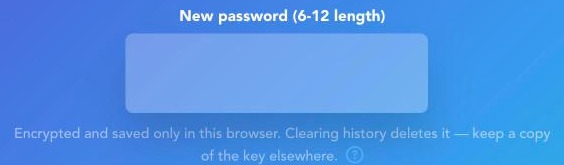
About saving under a PIN — honestly. The key is encrypted on your device and stored encrypted in local storage. The PIN is 6 to 12 characters; emoji are allowed. We do not know this PIN and cannot restore it: it exists nowhere except in your head.
What a crypto wallet server sees: only the signature result
The signature is ready. Now the wallet sends us the signed transaction — and that is all. It is one string that already holds: from, to, amount, fee, sequence number, and the signature itself. Changing anything in it is impossible — the signature breaks and the network rejects it. We cannot rewrite the amount, swap the recipient, or send it a second time.
What the server does. Exactly one thing: it hands the envelope to the blockchain through a network node and returns a hash — the id you can look up in any explorer. Like a postman who cannot open letters. A signed transaction is not tied to Mitilena: any node on that network will accept it. If our server disappears tomorrow, the coins stay yours — because you hold the key.
Transfer history — and what is written there
After a successful send the wallet saves a short record so history and the address book work for you. In the record: network, coin, amount, sender address, recipient address, hash, rate at send time, and date. Plus a tracking-link code you can share with the recipient so they see the status.
What the record does not have: your name, email, IP address, or user id. The row is tied not to a person but to addresses that are already public on the blockchain. That is why we call it anonymized. With offline signing via Mitilena Air the online side stores nothing about the transfer: it only sees the finished envelope.
Not “we promise not to” — we cannot, because we have nothing to do it with
Spend your money
Can a wallet steal crypto? No: spending needs a signature, and a signature needs a key. We do not have the key; it is never sent on any step.
Freeze or cancel a transfer
A signed transaction goes to the network and lives by its rules. There is no “undo” button — not for us, not for anyone else.
Swap the recipient
The address is baked into the signed envelope. Any edit breaks the signature.
Recover your PIN or key
They are not on our servers. That is inconvenient — and that is also the guarantee.
Show your history to a stranger as “yours”
In the database it is tied to addresses, not to an identity.
Also honest: where the wallet will not help
The blockchain is public
Your addresses, amounts, and transfer times are visible to everyone forever. Privacy comes not from the wallet but from care with addresses — or networks like Monero.
Lose the key — lose access
Nobody, including us, will restore it. Save it in two places at once, preferably offline.
A device under an attacker’s control is their device
Signing happens where you start it. A virus on the phone is more dangerous than any server hole; for large amounts there is an NFC card and offline signing.
Monero needs a view key
It is needed to show the balance. It only reads; it cannot spend — but you should know that up front.
What people ask after reading this far
Is it safe to send crypto through your server if everything happens on the device?
Yes, if you understand the server’s role: ask the network for the fee and sequence number, fetch rates, and forward the finished envelope. All of that is public; no key is needed. We run some network nodes ourselves so we do not depend on third-party services.
Can you see my balance?
Anyone can see any address balance — it is an open blockchain record. The only question is whether the address is linked to you. Without sign-up we do not even know your address list: it lives on your device.
What if you swap the recipient address while I am not looking?
The address goes inside the signature. Swapped after signing — the signature breaks and the network rejects it. Before signing the address is on your screen: check the last characters — a lifelong habit in crypto.
Why does the fee keep changing?
It is an auction for block space. When the network is busy, space costs more. We show what the network answers at that moment and let you pick the speed.
The transfer is stuck unconfirmed. What should I do?
It is already on the network — it has a hash and shows up in an explorer. On EVM networks a stuck transfer can be replaced: send a new one with the same sequence number and a higher fee.
What is a nonce in plain words?
The sequence number of a payment from your address. The first transfer is zero, the second is one, and so on. It stops the same payment from going through twice.
How is this different from an exchange?
On an exchange the coins sit on the company’s account and you are a row in their database: they can freeze, ask for documents, limit withdrawals. Here the coins sit on your blockchain address, and you hold the key.
What if I lose my phone?
The coins stay on the blockchain. Install the wallet on a new device, enter your saved key — everything is there. Without the key nobody can help.